You can create an annotated image or plan for your web page or document
by using the text label tool in the software.
- Click add labels button
 in vertical toolbar
 - Pinpoint location of the label on the image
- Edit the label in text label properties panel at the bottom of iiCreator software
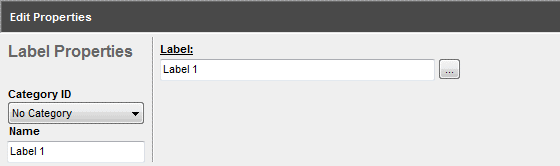
| Properties | Descriptions |
|---|---|
| Name | Name of the label |
| Category ID | Assign label to a category |
| Label |
- Enter texts for the label - Click change label settings button to change font style and color. |
[ Back ]